
Have you ever wondered why some players earn millions from a Moonmelon while your identical plant sells for just a few thousand Sheckles in Grow a Garden Roblox Game? The real problem is not your plant; it is the mutations and weight calculation limiting your profits. The standard solution is identifying the plant’s value accurately and applying the right mutations. Here comes the Grow a Garden Calculator, which guides you in calculating the exact sell value for your plants.
In this guide, you will explore how to use a gag calculator, why it is essential, and how it can help you maximize profits. You will also learn the mutation-weight balance for optimal returns. What’s more, it will help you in calculating the final Sheckle value and making profitable trading decisions.
How to Use Our Grow a Garden Calculator
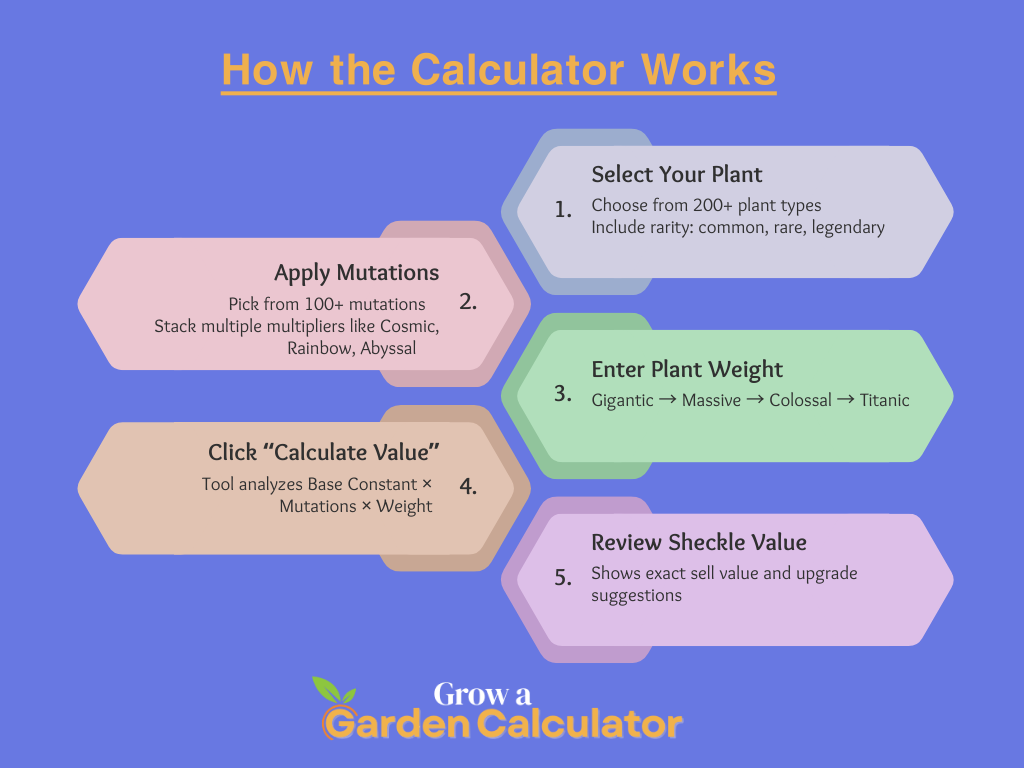
Using the GAG calculator tool does not require any technical knowledge about the game. You just need to follow a few simple steps, which we have provided as a guide below.
Input Your Plant
The first step is to know your harvested plant and select it from the menu. You need to provide details such as:
- Plant type (Moonmelon, Celestiberry, Soulfruit, etc.)
- Plant rarity (common, rare, legendary)
- Your purpose (trading for profit, quest, or collection)
Apply Mutations
Once your plant is selected, choose its mutations. The calculator supports over 100 mutations with different multipliers. These mutations multiply your plant’s Base Constant and final Sheckle value.
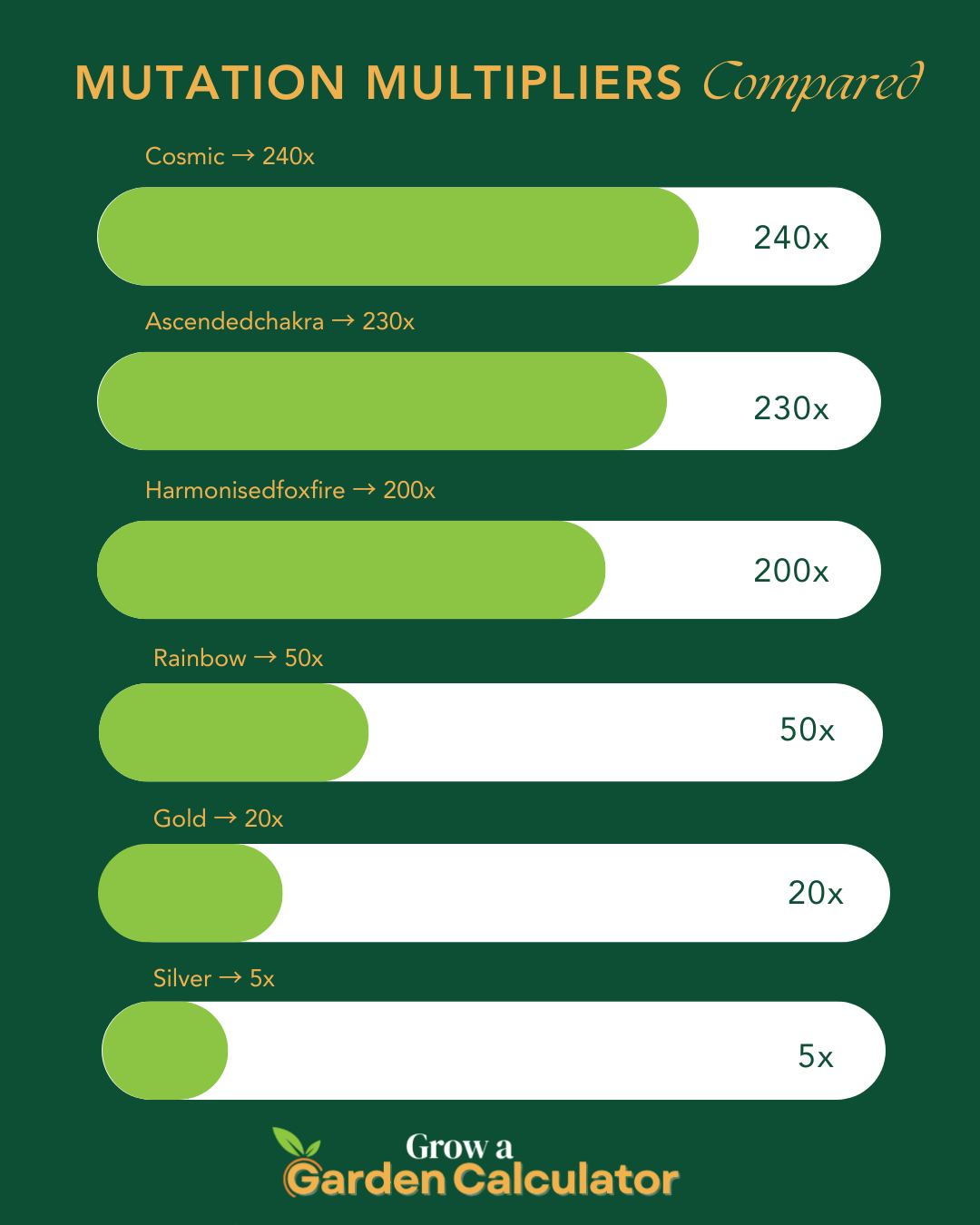
For example:
- Cosmic (240x), Abyssal (240x), Ascendedchakra (230x)
- Rainbow (50x), Gold (20x), Silver (5x)
Multiple mutations can be stacked to calculate the total multiplier.
Enter Plant Weight
Next, enter your plant’s weight in kilograms. Weight plays a crucial role in the Sheckle calculation. Categories include:
- Gigantic: 100–500 kg
- Massive: 500–2,000 kg
- Colossal: 2,000–10,000 kg
- Titanic: 10,000+ kg
Run the Calculation
After entering the plant type, mutations, and weight, click “Calculate Value”. The calculator uses complex formulas to analyze Base Constant, mutation multipliers, and weight to give an exact Sheckle value.
Review the Results
After calculation, the tool will show the final Sheckle value for your plant. A higher value means more profit. If your plant’s value is low, you can plan to wait for higher weight or apply better mutations.
Interpreting the Results
The calculator result shows exactly how profitable your plant is.
Understanding the Sheckle Value
Sheckle value depends on:
- Plant’s Base Constant
- Mutation multipliers
- Plant weight
For example, a 5,000 kg Moonmelon with Cosmic (240x) + Rainbow (50x) mutations could earn over 700 million Sheckles.
Evaluating Mutation Impact
High-value mutations exponentially increase the plant’s sell value. Use the calculator to test different mutation combinations for maximum profit.
Considering Future Farming Needs
Always plan for future crops. High Base Constant plants are expensive but give higher returns when properly mutated and grown.
What is Grow a Garden Calculator?
Grow a Garden Calculator is a tool designed to calculate exact Sheckle value for your harvested plants. Instead of guessing, it helps you:
- Avoid underpricing
- Maximize profits
- Plan mutations and weights for best ROI
The backend uses advanced formulas combining Base Constant, mutation multipliers, and weight. A plant value below expected Sheckles signals that adjustments are needed to reach the optimum.
Plant Value in Grow a Garden
In the game, plant value works like traffic on a highway. Imagine a narrow bridge causing congestion. Similarly, low-value mutations or small weight bottleneck your Sheckle profits. Upgrading plant mutations or waiting for higher weight removes the bottleneck and maximizes earnings.
Example:
You have a Moonmelon with 500 kg weight and Rainbow mutation. The calculator shows 12,500 Sheckles. Waiting to grow it to Titanic weight with Cosmic mutation could earn over 700 million Sheckles.
Grow a Garden Calculator Features
- Easy-to-Use Interface: Enter plant type, mutations, and weight to calculate.
- Compatibility Check: Ensure mutations are applied effectively.
- Performance Score: Shows profitability; higher Sheckles = higher score.
- Upgrade Suggestions: Suggests optimal mutations or waiting periods for maximum Sheckles.
Examples of Maximizing Plant Value
Maximizing plant value requires applying the right mutations, growing plants to higher weight, and using boosters.
- Applying high multiplier mutations increases Sheckle output exponentially.
- Growing plants to Titanic weight gives maximum profitability.
- Using fertilizers, water boosters, and time management improves growth speed.
How Plant Value Affects Profits
Plant value impacts profits in many ways:
Trading: Low-value plants result in smaller earnings, affecting your ability to buy rare seeds.
Quests: Certain quests require high-value plants for rewards.
Collection & Events: Rare plants with high value increase leaderboard ranks.
How Grow a Garden Calculator Helps
The calculator analyzes Base Constant, mutations, and weight to find exact Sheckle value. You can check detailed reports to see which mutation or weight adjustments will maximize your profits.
Tips to Maximize Plant Value
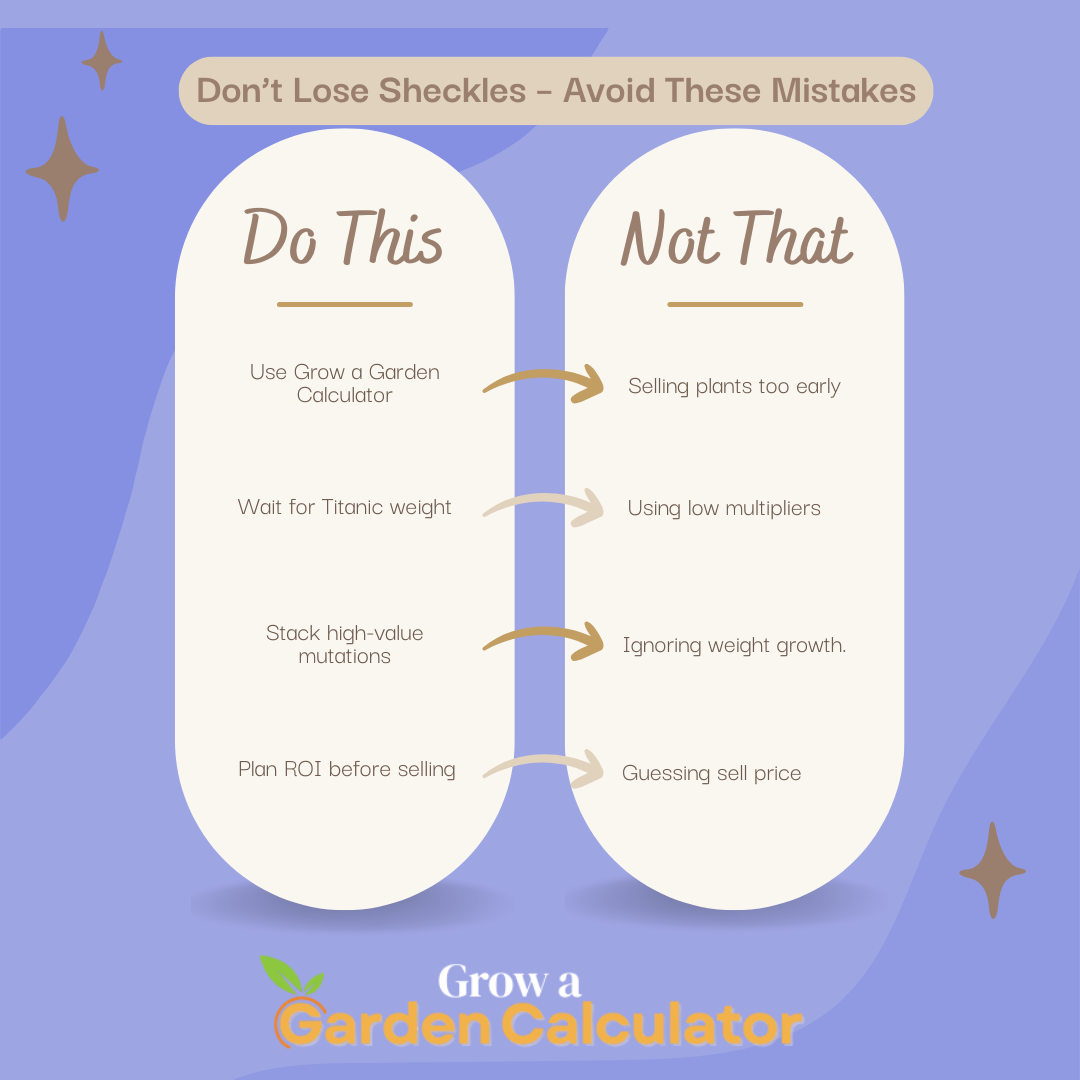
- Analyze plant type and Base Constant before harvesting.
- Apply high multiplier mutations for exponential growth.
- Wait for higher weight before selling for maximum profit.
- Plan future seed purchases based on calculated ROI.
Key Factors in Plant Value Calculation
Plant Base Constant: Determines the starting value.
Mutations: Multiply the Base Constant.
Weight: Bigger weight = bigger Sheckle value.
Rarity: Rare plants earn higher Sheckles.
Boosters: Fertilizers and water increase growth efficiency.
Ready-Made High-Value Plant Builds
Grow a Garden Calculator vs Competitors
Final Words
A Grow a Garden Calculator is an essential tool for every serious gardener or player looking to maximize profits. It helps you identify the exact value of your plants by factoring in mutations and weight, so you never underprice your harvest.
Using this calculator, you can plan your planting strategy, choose the best mutations, and decide the optimal harvest time to earn maximum Sheckles. Instead of guessing which plants or mutations give the highest return, this tool gives you precise, actionable insights for every plant.
Whether you are growing common plants or rare ones with high-value mutations, this calculator ensures you make data-driven decisions. By checking your plants’ potential before selling, you can save money, reduce losses, and boost overall profits.
Pro Tip: Always experiment with different mutations and weights in the calculator before selling or trading your crops. This way, you can identify hidden high-value combinations and stay ahead in Grow a Garden.
In short, if you want maximum Sheckles, smarter farming, and strategic growth, this calculator is your ultimate companion. Don’t plant blindly—calculate, plan, and harvest wisely!